


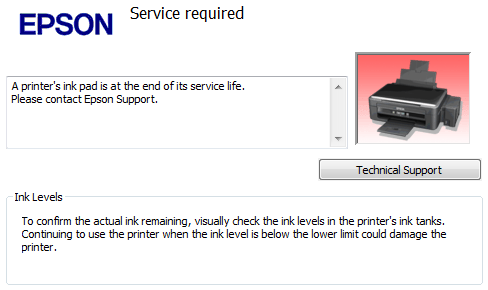

WIC Reset Utility can work with almost all Epson Printer Models. Please check You model.
SUPPORTED MODELS LIST (V 5.59):
Canon printers
MX470 series
MX490 series
MB2000 series
MG5100 Series
MG5200 Series
MG5500 series
MG5600 series
MG5700 series
G1000, G1100, G1400, G1900
G1010, G1110, G1410, G1910
G2000, G2100, G2400, G2900
G2010, G2110, G2410, G2910
G3000, G3100, G3400, G3900
G3010, G3110, G3410, G3910
G4000, G4100, G4400, G4900
G4010, G4110, G4410, G4910
TR8500 Series
TS5100
TS8000 Series
Epson printers
Artisan:
Artisan 50, Artisan 600, Artisan 700, Artisan 710, Artisan 720, Artisan 725, Artisan 730, Artisan 800, Artisan 810, Artisan 830, Artisan 835, Artisan 837, Artisan 1430
B:
B30, B40W, B42WD, B1100, B1110
BX:
BX300F, BX305FW, BX310FN, BX320FW, BX525WD, BX535WD, BX600FW, BX610FW, BX620FWD, BX625FWD, BX630FW, BX635FWD, BX925FWD, BX935FWD
C:
C58, C59, C61, C62, C63, C64, C65, C66, C67, C68, C76, C77, C78, C79, C82, C83, C84, C85, C86, C87, C88, C90, C91, C92, C93, C94, C95, C97, C98, C99, C110, C120
Color:
Color 1160, 760, 860
CX:
CX2800, CX2900, CX3100, CX3200, CX3300, CX3400, CX3500, CX3600, CX3650, CX3700, CX3800, CX3900, CX3905, CX4000, CX4080, CX4100, CX4200, CX4500, CX4600, CX4700, CX4800, CX4900, CX4905, CX5000, CX5700F, CX5900, CX6000, CX6300, CX6400, CX6500, CX6600, CX7300, CX7400, CX7700, CX7800, CX8300, CX8400, CX9300F, CX9400Fax, CX9500F
D:
D68, D78, D88, D92, D120
DX:
DX3800, DX4000, DX4050, DX4200, DX4800, DX5000, DX5050, DX6000, DX6050, DX7400, DX7450, DX8400, DX9400F
EP:
EP-702A, EP-703A, EP-704A, EP-705A, EP-706A, EP-707A, EP-708A, EP-709A, EP-774A, EP-775A, EP-776A, EP-777A,
EP-801A, EP-802A, EP-803A, EP-804A, EP-804F, EP-805A, EP-806A, EP-807A, EP-808A, EP-810A, EP-879A, EP-880A,
EP-901A, EP-901F, EP-902A, EP-902F, EP-903A, EP-903F, EP-904A, EP-904F, EP-905A, EP-905F, EP-906A, EP-906F, EP-907A, EP-907F,
EP-976A3, EP-977A3, EP-978A3, EP-979A3,
EP-10VA, EP-30VA, EP-301, EP-302, EP-306, EP-4004
ET:
EcoTank ET-1110, ET-14000, ET-16500, ET-16600,
ET-2500, ET-2550, ET-2600, ET-2610, ET-2650, ET-2700, ET-2710, ET-2720, ET-2750, ET-2760,
ET-3600, ET-3700, ET-3710, ET-3750, ET-3760, ET-4500, ET-4550, ET-4700, ET-4750, ET-4760,
ET-5800, ET-7700, ET-7750, ET-8700, EW-M660FT
EW:
EW-052A, EW-M571T, EW-M630T, EW-M660FT, EW-M670FT, EW-M770T, EW-M5071T, EW-M970A3T
K:
K100, K101, K200, K201, K300, K301
L:
L100, L110, L111, L120, L130, L132
L200, L210, L211, L220, L222
L300, L301, L310, L312, L350, L351, L355, L356, L358, L360, L362, L364, L365, L366, L375, L380, L382, L383, L385, L386, L395, L396
L405, L455, L456, L475, L485, L486, L495
L550, L551, L555, L556, L558, L565, L566, L575
L605, L606, L655
L800, L805, L810, L850
L1110, L1455
L1300, L1800
L3050, L3060, L3070, L3100, L3101, L3108, L3110, L3111, L3116, L3118, L3150, L3151, L3156, L3158, L3160, L3168
L4150, L4158, L4160, L4168
L5190
L8160 (Platen Pad Counter only)
M:
M100, M105, M1108, M1128, M200, M205
ME Office: ME-1, ME-2, ME-10, ME-20, ME-30, ME-32, ME-35, ME-70, ME-80W, ME-82WD, ME-100, ME-101, ME-200, ME-300, ME-301, ME-303, ME-320, ME-330, ME-340, ME-360, ME-400, ME-401, ME-510, ME-520, ME-530, ME-535, ME-560W, ME-570, ME-600F, ME-620F, ME-650FN, ME-700, ME-900WD, ME-940FW, ME-960FWD, ME-1100
NX:
N11, NX100, NX110, NX120, NX125, NX127, NX130, NX200, NX210, NX215, NX220, NX230, NX300, NX305, NX330, NX400, NX410, NX415, NX420W, NX430, NX435, NX510, NX515, NX530, NX620, NX625, NX635
P:
P50, P60
PP:
PP-50, PP-50BD, PP-100 Discproducer – Requires Reset Keys for PP-50, PP-100 models
PX:
PX650, PX659, PX660, PX700W, PX710W, PX720WD, PX730FWD, PX800FW, PX810FW, PX820WD, PX830FWD
PX-5V, PX-7V
PX-045A, PX-046A, PX-047A, PX-048A, PX-049A
PX-1001, PX-1004, PX-1200, PX-1600F, PX-1700F
PX-101, PX-105, PX-201, PX-203, PX-204, PX-205,
PX-404A, PX-405A, PX-434A, PX-435A, PX-436A, PX-437A, PX-501A, PX-502A, PX-503A, PX-504A, PX-505F, PX-535F, PX-5500, PX-5600
PX-601F, PX-602F, PX-603F, PX-605F, PX-673F, PX-675F
PX-A640, PX-A720, PX-A740, PX-FA700
PX-G5000, PX-G5100, PX-G530
PX-K100, PX-K150
PX-M650, PX-M650A, PX-M650F
PX-S05B, PX-S05W, PX-V600, PX-V630, PX-V780
Photo:
Photo 820U, 830U, 890, 900, 950, 960, 1280, 1290, 1390, 1400, 1410, 1430, 1500, 2100, 2200
PictureMate:
PM100, PM-200, PM210, PM215, PM225 PM235, PM240, PM245, PM250, PM260, PM270, PM280, PM290, PM300, PM310, PM400
PM:PM-3500C, PM-4000px, PM-G800, PM-G4500, PM-G5000, PM-A820, PM-A840, PM-A840S, PM-A870, PM-A890, PM-A900, PM-A940, PM-A970, PM-D770, PM-D800, PM-D870, PM-G850, PM-G860, PM-G4500, PM-G5000, PM-T960, PM-T990
R:
R200, R210, R220, R230, R240, R245, R250, R260, R265, R270, R280, R285, R290, R295, R300, R310, R320, R330, R340, R350, R360, R380, R390, R800, R1800, R1900, R2000, R2400, R2880, R3000
RX:
RX420, RX425, RX430, RX500, RX510, RX520, RX530, RX560, RX565, RX580, RX585, RX590, RX595, RX600, RX610, RX615, RX620, RX630, RX640, RX650, RX680, RX685, RX690, RX700
S:
S20, S21, S22
Sure Color:
SC-P400, SC-P407, SC-P408, SC-P600, SC-P607, SC-P608, SC-P700, SC-P708, SC-P800, SC-P900, SC-P908, SC-PX3V, SC-PX5VII, SC-PX7VII
SX:
SX100, SX105, SX110, SX115, SX117, SC119, SX125, SX130,
SX200, SX205, SX209, SX210, SX215, SX218, SX219, SX230, SX235, SX235W, SX400, SX405, SX409, SX410, SX415, SX419, SX420W, SX425W, SX430W, SX435W, SX440W, SX510, SX515, SX525WD, SX535WD, SX600FW, SX610FW, SX620FW
T:
T10, T11, T12, T13, T20, T21, T22, T23, T24, T25, T26, T27, T30, T33, T40W, T42WD, T50, T59, T60, T1100, T1110
TX:
TX100, TX101, TX102, TX103, TX104, TX105, TX106, TX109, TX110, TX111, TX112, TX113,
TX114, TX115, TX117, TX119, TX120, TX121, TX125, TX130, TX133, TX135
TX200, TX205, TX209, TX210, TX215, TX219, TX220, TX230, TX235, TX235W, TX300F, TX320F, TX325F
TX400, TX405, TX409, TX410, TX415, TX419, TX420W, TX430W, TX435W
TX510FN, TX515FN, TX525FW, TX550, TX560WD, TX600FW, TX610FW, TX620FWD, TX650, TX659
TX700W, TX710W, TX720WD, TX730WD, TX800FW, TX810FW, TX820FWD, TX830FWD
WorkForce:
WorkForce 30, 40, 42, 60, 310, 315, 320, 321, 323, 325, 435, 500, 520, 525, 545, 600, 610, 615, 625, 630, 633, 635, 645, 840, 845, 1100
WF-2010, WF-2011, WF-2018, WF-2510, WF-2511, WF-2518, WF-2520, WF-2521, WF-2528, WF-2530, WF-2531, WF-2538, WF-2540, WF-2541, WF-2548, WF-2630, WF-2631, WF-2635, WF-2650, WF-2651, WF-2655, WF-2660, WF-2661, WF-2665, WF-2750, WF-2751, WF-2755, WF-2760, WF-2761, WF-2765
WF-3720, WF-3723, WF-3725, WF-3730, WF-3733, WF-3735
XP:
XP-20, XP-30, XP-33, XP-55
XP-100, XP-102, XP-103
XP-200, XP-201, XP-201, XP-204, XP-208, XP-202, XP-203, XP-206, XP-205, XP-207, XP-210, XP-211, XP-214, XP-216, XP-212, XP-213, XP-215, XP-217, XP-220, XP-225, XP-230, XP-231, XP-235, XP-240, XP-241, XP-242, XP-243, XP-245, XP-247, XP-255, XP-257
XP-300, XP-301, XP-302, XP-303, XP-305, XP-306, XP-310, XP-311, XP-312, XP-313, XP-315, XP-320, XP-322, XP-323, XP-325, XP-330, XP-332, XP-335, XP-340, XP-342, XP-343, XP-345, XP-352, XP-355
XP-400, XP-401, XP-402, XP-403, XP-405, XP-406, XP-410, XP-411, XP-412, XP-413, XP-415, XP-420, XP-422, XP-423, XP-425, XP-424, XP-430, XP-431, XP-432, XP-435, XP-434, XP-440, XP-441, XP-442, XP-445, XP-446, XP-447, XP-452, XP-455
XP-510, XP-520, XP-530, XP-540
XP-600, XP-601, XP-605, XP-610, XP-611, XP-615, XP-620, XP-621, XP-625, XP-630, XP-631, XP-635, XP-640, XP-641, XP-645
XP-700, XP-701, XP-702, XP-710, XP-720, XP-721, XP-750, XP-760
XP-800, XP-801, XP-802, XP-810, XP-820, XP-821, XP-830, XP-850, XP-860
XP-900, XP-950, XP-960
XP-15150, XP-15160, XP-15180 (Platen Pad Counter only)
The reset and read counters function are NOT available for this models (adjustment functions only):
WF-100, WF-110
WF-2850, WF-2851, WF-2855, WF-2860, WF-2861, WF-2865
WF-3010, WF-3011, WF-3012, WF-3510, WF-3511, WF-3512, WF-3520, WF-3521, WF-3522, WF-3530, WF-3531, WF-3532, WF-3540, WF-3541, WF-3542, WF-3620, WF-3621, WF-3622, WF-3640, WF-3641, WF-3642,
WF-4630, WF-4640, WF-4720, WF-4725, WF-4730, WF-4735, WF-4740, WF-4745,
WF-5110, WF-5111, WF-5113, WF-5190, WF-5191, WF-5193, WF-5210, WF-5290, WF-5620, WF-5621, WF-5623, WF-5690, WF-5691, WF-5693, WF-6090, WF-6093, WF-6530, WF-6590, WF-6593,
WF-7110, WF-7111, WF-7610, WF-7611, WF-7620, WF-7621, WF-8010, WF-8090, WF-8093, WF-8510, WF-8590, WF-8593,
WF-R4640, WF-R5190, WF-R5690
The Reset function is NOT available.
Reading counters and adjustments are available in this models:
WorkForce WP-4011, WPM-4011, WP-4015DN, WP-4020, WP-4022, WP-4025DW, WP-4090, WP-4092, WP-4095DN, WP-4511, WP-4515, WP-4520, WP-4511, WP-4515, WP-4520, WP-4521, WPM-4521, WP-4525, WP-4530, WP-4531, WP-4532, WP-4533, WP-4535, WP-4540, WP-4545, WP-4590, WP-4592, WP-4595
The supported models list is updated every day by new prionter models. But You can check Your printer model by yourself in WIC utility. It is very easy: